Ride or Die OCA4LIFE!
Log In:
Overclockaholics Forums » Cooling Performance Section » Water Cooling » Moving into colder waters-build log I guess

Notices

Water Cooling Chilled And Ambient Setups...

Reply
 
Thread Tools Display Modes
  #1  
Old 08-27-2010
FACE's Avatar
FACE FACE is offline
OCA Gladiator
 
Join Date: Mar 2009
Location: E'town KY
Posts: 2,113
Rep Power: 20
FACE is on a distinguished road
Default

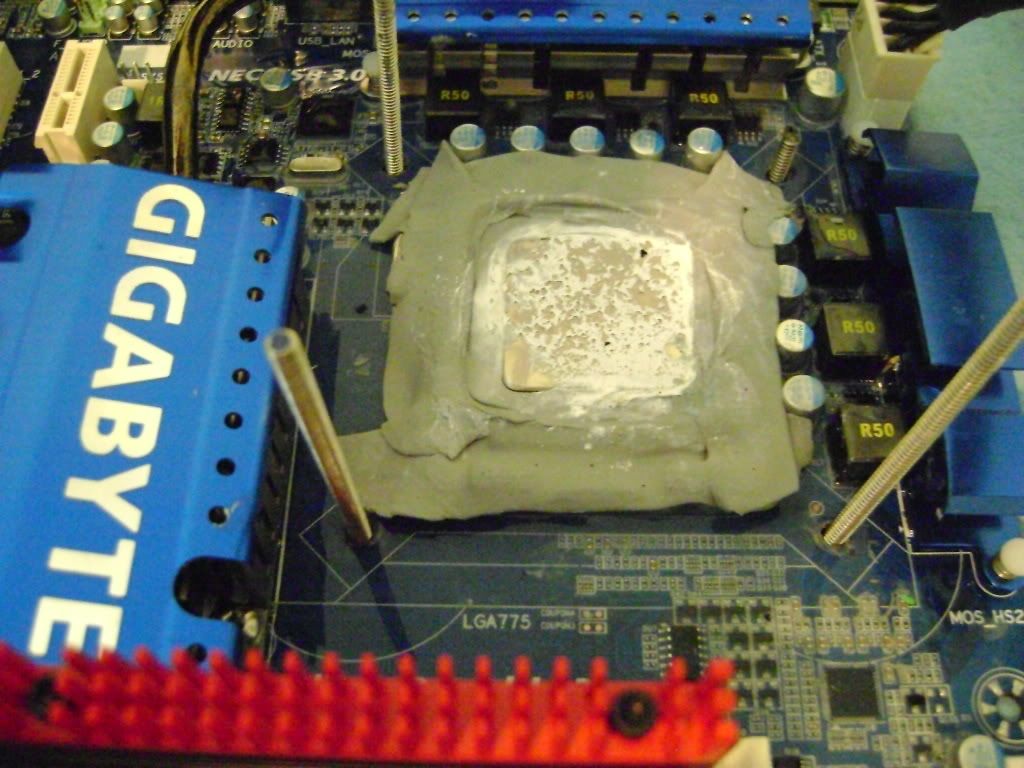
The trick in both Lga and PGA sockets is to make the cpu area air tight. I do not put grease in or around the socket. Sealing the area around the cpu with eraser works fine by itself. you can insulate up the side of the socket and cpu to the very top edge of teh ihs and not interfere with the cooler (wb/ evap/pot) at all.

so I would try the eraser method until you get the dragon skin method perfected. Make it thin on the mobo, and gradually mound it up around teh socket until you have it up level with the cpu. Make sure it is pressed tight to the sides of the socket and cpu and your worries are over.
__________________


Nooob#1

Quote:
Originally Posted by Kal-EL View Post
I think the flux capacitor caused the aeon influx inductors to mis-allign the dylithium crystals during transphotogenic mutation, but that's just because I stayed at a Holiday Inn last night.
Don't forget to delete System32!!!
Reply With Quote
  #2  
Old 08-27-2010
ny_driver's Avatar
ny_driver ny_driver is offline
OCA Gladiator
 
Join Date: Aug 2010
Location: stuck with the NC territory for now
Posts: 954
Rep Power: 16
ny_driver is just getting started
Default

Thanks FACE, I'm going to get the kneaded eraser and use that in addition to the dragon skin right around the socket and give it another go.

I'm up and running again with the 965BE now.

I stuck my bad memory module in the freezer for like 2-3 days and it works again too.

I'm ready to party dudes!
__________________


New Ride:
Rampage 3 Extreme
3x2GB cas7 DomGT
Coming Soon: a CPU...hopefully a 7GHz 990x ES
Reply With Quote
  #3  
Old 08-27-2010
rickss69's Avatar
rickss69 rickss69 is offline
OCA Gladiator
 
Join Date: May 2009
Location: Gulf Breeze, FL
Posts: 2,837
Rep Power: 19
rickss69 is on a distinguished road
Default

A little eraser around the perimeter of the cpu is all you need...not even neccessary to seal it to the Dragon Skin.


"Sorry for my ignorance Rick, but what do you mean constant pressure? And do you mean put eraser all around the surface of the chip and the socket? Once I got the chip seated I put more Dragon Skin around the edges of the chip and socket to seal it up better, but it doesn't really stick to the edge of the IHS "

What I meant ny was I think the Thuban will degrade quickly after some spectacular benching blasts...maybe not die but never perform as well as it did initially.

Last edited by rickss69; 08-27-2010 at 06:21 AM.
Reply With Quote
  #4  
Old 08-27-2010
rickss69's Avatar
rickss69 rickss69 is offline
OCA Gladiator
 
Join Date: May 2009
Location: Gulf Breeze, FL
Posts: 2,837
Rep Power: 19
rickss69 is on a distinguished road
Default

Just read back thru the thread and in post #93 is where you had the massive water leak. I would be very careful about using Dragon Skin like you are around the cpu socket...you think the grease was hard to remove.

Everywhere else the Dragon Skin is fine except in the dimm/pci sockets of course. You want it to flow under and around everything, just as water would do.
Reply With Quote
  #5  
Old 08-27-2010
ny_driver's Avatar
ny_driver ny_driver is offline
OCA Gladiator
 
Join Date: Aug 2010
Location: stuck with the NC territory for now
Posts: 954
Rep Power: 16
ny_driver is just getting started
Default

Thanks for the picture....it lets me know it doesn't have to be prettyEDIT: THanks for the explanation too...I didn't see it down there at first.

I'm gonna overclock the piss out of this 965BE. I got it IBT/max stress stable @ 4GHz/1.428v and not chilling the chiller...max core temp of 39c. It's the 194th chip off the wafer so it should be pretty good I hear. My 1055T is the 247th chip.

By tonight I'll be chilling it and also have my 2x4890s back on water and my new loop with cool blue washer fluid, which is going to look pretty sweet.

Stop back later for pictures.
__________________


New Ride:
Rampage 3 Extreme
3x2GB cas7 DomGT
Coming Soon: a CPU...hopefully a 7GHz 990x ES

Last edited by ny_driver; 08-27-2010 at 06:43 AM.
Reply With Quote
  #6  
Old 08-27-2010
rickss69's Avatar
rickss69 rickss69 is offline
OCA Gladiator
 
Join Date: May 2009
Location: Gulf Breeze, FL
Posts: 2,837
Rep Power: 19
rickss69 is on a distinguished road
Default

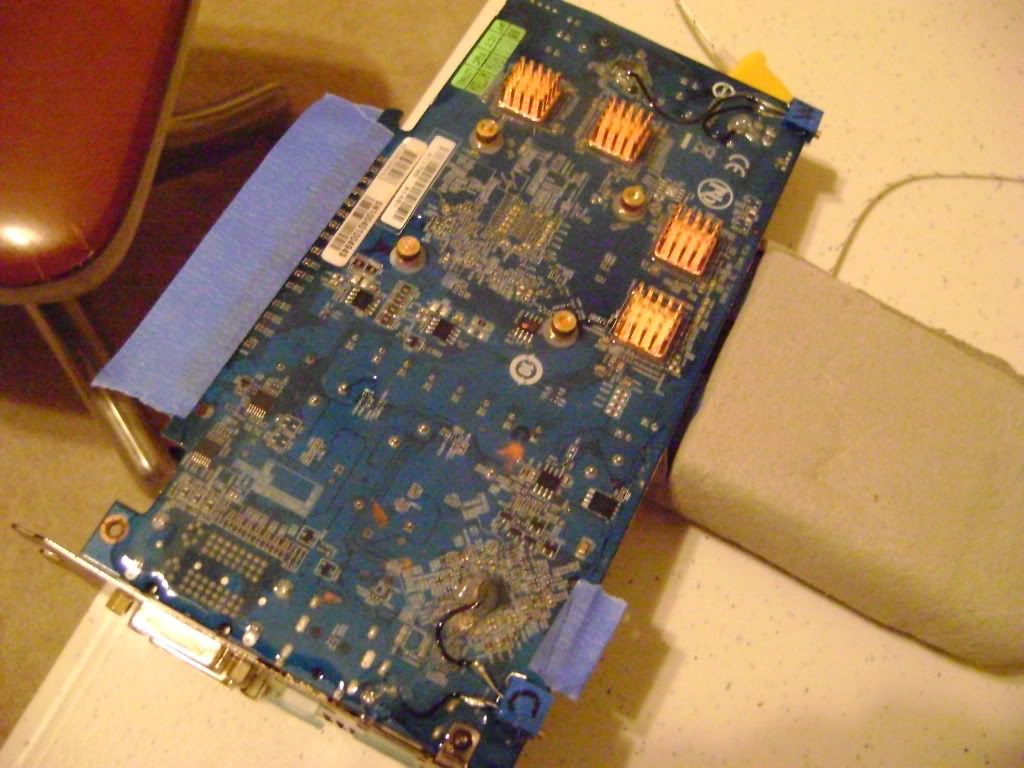
Have you skinned the cards as well?


Reply With Quote
  #7  
Old 08-27-2010
ny_driver's Avatar
ny_driver ny_driver is offline
OCA Gladiator
 
Join Date: Aug 2010
Location: stuck with the NC territory for now
Posts: 954
Rep Power: 16
ny_driver is just getting started
Default

You aren't saying let it flow under the edges of the cpu socket are you? But you do let it run under the DIMMS and PCI-E slots? I'd rather it didn't...I have my board tilted so water can only run off the back and not towards the pci-e slots.

Are you sure it's ok to let it run under the DIMMS?

Sorry to ask so many questions, but I really don't want to fuck this up again. ASUS won't do another advanced replacement.

EDIT: not chilling the cards.
__________________


New Ride:
Rampage 3 Extreme
3x2GB cas7 DomGT
Coming Soon: a CPU...hopefully a 7GHz 990x ES
Reply With Quote
  #8  
Old 08-27-2010
rickss69's Avatar
rickss69 rickss69 is offline
OCA Gladiator
 
Join Date: May 2009
Location: Gulf Breeze, FL
Posts: 2,837
Rep Power: 19
rickss69 is on a distinguished road
Default

Quote:
Originally Posted by ny_driver View Post
You aren't saying let it flow under the edges of the cpu socket are you? But you do let it run under the DIMMS and PCI-E slots? I'd rather it didn't...I have my board tilted so water can only run off the back and not towards the pci-e slots.

Are you sure it's ok to let it run under the DIMMS?

Sorry to ask so many questions, but I really don't want to fuck this up again. ASUS won't do another advanced replacement.

EDIT: not chilling the cards.
Yes, let it flow under anything it is able to...that will prevent any moisture from gaining access to those areas. Just don't get it inside the sockets as that would prevent good contact. Dragon Skin will not harm anything as it is non-conductive.

Last edited by rickss69; 08-27-2010 at 06:59 AM.
Reply With Quote
  #9  
Old 08-27-2010
ny_driver's Avatar
ny_driver ny_driver is offline
OCA Gladiator
 
Join Date: Aug 2010
Location: stuck with the NC territory for now
Posts: 954
Rep Power: 16
ny_driver is just getting started
Default

EVEN the cpu socket? It's not going to prevent anything from making contact? I need to google some pictures of the inside of a AM3 socket for my own peace of mind.
__________________


New Ride:
Rampage 3 Extreme
3x2GB cas7 DomGT
Coming Soon: a CPU...hopefully a 7GHz 990x ES
Reply With Quote
Reply

Thread Tools
Display Modes

Posting Rules
You may not post new threads
You may not post replies
You may not post attachments
You may not edit your posts

BB code is On
Smilies are On
[IMG] code is On
HTML code is Off

Forum Jump


All times are GMT -10. The time now is 07:30 PM.

Copyright ©2009-2014, Overclockaholics

Designed by: vBSkinworks